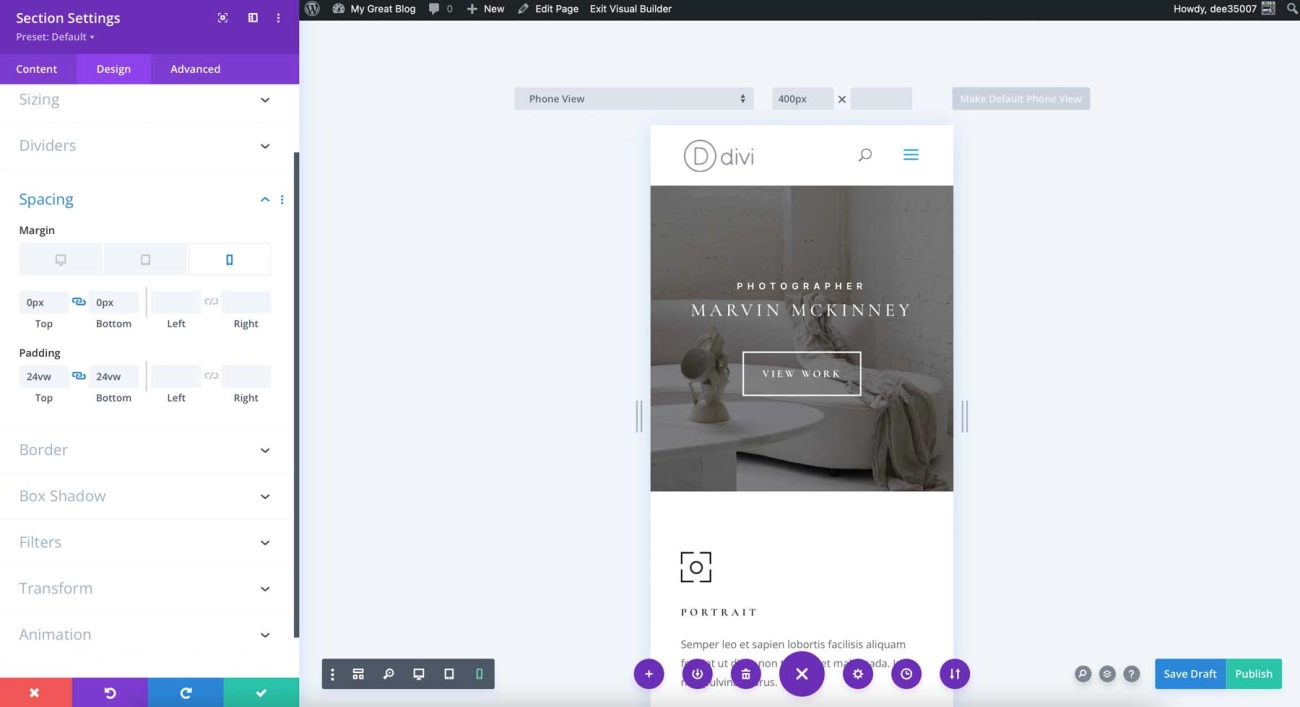
If you’re running a business website, you already know that mobile traffic is booming and Google’s mobile-first indexing is non-negotiable. But here’s the catch: not every WordPress theme truly delivers the responsive design your site needs to look sharp, load fast, and convert visitors across all devices. Choosing the right responsive WordPress theme for your business isn’t just about aesthetics—it’s about performance, SEO, and ensuring your brand stands out in a crowded online marketplace. In this guide, you\’ll discover exactly how to pick a theme that powers your growth, keeps your site nimble, and gives your customers a seamless experience—no coding required. Let’s get started!
Why Responsiveness Is Essential for Business Websites
Are you aware that over half of web traffic now comes from mobile devices? Mobile usage continues to soar, and Google has shifted to mobile-first indexing, meaning your site’s mobile version is what matters most for search rankings.
Here’s why a mobile responsive WordPress theme is a must-have for your business site:
| Benefits of Responsive Design | What It Means for Your Business |
|---|---|
| Lower Bounce Rates | Visitors stay longer because pages fit their screen perfectly. |
| Better SEO Rankings | Google favors mobile-friendly sites, boosting your search position. |
| Improved Accessibility | More users, including those with disabilities, can easily navigate your site. |
| Higher Engagement | Smooth experience increases clicks, shares, and conversions. |
On the flip side, not using a responsive theme can seriously hurt you:
- Lost Customers: Frustrated users leave quickly when your site looks broken or loads improperly on phones.
- Poor Search Visibility: Google deprioritizes non-mobile-friendly sites, making it harder for new customers to find you.
Choosing a mobile-responsive business WordPress theme isn’t just a tech upgrade—it’s essential for reaching your audience, improving your online presence, and growing your business. Don’t risk outdated layouts that lose traffic and sales!
Key Factors to Evaluate When Choosing a Responsive WordPress Theme
When selecting a responsive WordPress theme for your business, there are several critical factors to keep in mind. These ensure your site looks great, loads fast, and works smoothly on all devices.
Core Responsiveness and Mobile Performance
- Fluid layouts: Check if the theme adjusts seamlessly across different screen sizes—from big desktops to tiny phones.
- Touch-friendly navigation: Menus and buttons should be easy to tap on mobile devices.
- Optimized images: Look for themes that automatically resize and compress images for faster loading on mobiles.
How to test: Use Google Mobile-Friendly Test and browser developer tools to preview and verify mobile responsiveness.
Speed and Performance Optimization
- Choose themes with lightweight code and minimal bloat.
- Fast loading times are essential to keep visitors engaged and lower bounce rates.
- Check compatibility with caching plugins to improve site speed; for useful caching options, explore the best WordPress caching plugins.
- A well-optimized theme positively impacts Core Web Vitals, boosting user retention.
SEO-Friendliness
- Themes with clean code structure and support for schema markup help search engines understand your content better.
- Proper heading hierarchy (H1, H2, H3) ensures content is well-organized, aiding SEO.
- Look for integration options with popular SEO plugins like Yoast or Rank Math for easy optimization.
Customization and Flexibility
- Compatible with major page builders such as Elementor, Gutenberg, or Beaver Builder.
- Offers options to customize headers, footers, colors, typography, and layouts without writing code.
- Provides starter templates or demo content for faster setup.
Plugin Compatibility and Features
| Feature | Why It Matters |
|---|---|
| WooCommerce integration | Essential if you plan to sell products online. |
| Contact form support | For easy communication with customers. |
| Analytics compatibility | Track visitor behavior and site performance. |
| Multilingual support | Compatibility with plugins like WPML to reach global audiences. |
| Accessibility standards | Ensures your site is usable by everyone, including disabled users. |
Design and Branding Alignment
- Choose themes with professional aesthetics that fit your business niche (corporate, agency, online store).
- Themes offering multiple design demos help in quick customization aligned with your brand.
Support, Updates, and Security
- Prefer themes from reputable developers with regular updates to avoid compatibility or security issues.
- Dedicated support channels are a plus for troubleshooting and theme maintenance.
- Decide between free vs. premium themes by weighing long-term reliability and included features.
By keeping these factors in check, you can pick a responsive, fast, and SEO-friendly WordPress theme tailored for your business success.
Step-by-Step Guide to Selecting the Right Responsive WordPress Theme for Your Business
Choosing the perfect responsive WordPress theme for your business doesn’t have to be overwhelming. Here’s a clear, step-by-step approach to make the process smooth and effective:
-
Define Your Business Needs
Start by listing what your business requires: the industry you operate in, must-have features (like WooCommerce support or multilingual capabilities), and your budget. Knowing this upfront helps narrow down the options quickly.
-
Research and Shortlist Themes
Focus on reputable sources such as WordPress.org, ThemeForest, and trusted developer websites. Look specifically for mobile-friendly WordPress themes that suit your niche and offer the flexibility you need.
-
Install and Test on a Staging Site
Before going live, set up theme demos on a staging environment. This lets you explore customization options and check how the theme handles your content without risking your current site.
-
Evaluate on Multiple Devices and Browsers
Testing responsiveness is key. Verify the theme’s fluid layouts, fast loading times, and touch-friendly navigation across different screen sizes and browsers to ensure consistent user experience.
-
Check Reviews, Ratings, and Update History
Reliable themes show active maintenance through regular updates and positive feedback from users. This also hints at developer support and security.
-
Final Decision Checklist
Confirm the theme offers lightweight code, SEO optimized structure, and integrates well with your preferred page builders like Elementor or Gutenberg. Also, consider essential plugin compatibility to avoid future conflicts.
This approach helps you pick a mobile responsive business site theme that performs well today and scales for tomorrow’s needs. For detailed tips on working with page builders during customization, you can explore best practices on how to create better Elementor sites, which will complement your theme choice seamlessly.
Common Mistakes to Avoid
When choosing a responsive WordPress theme for your business, don’t pick one based only on how it looks. A theme might have a great design but perform poorly on mobile devices or load slowly, hurting your SEO and user experience. Always test the theme’s speed and responsiveness before deciding.
Another common problem is ignoring plugin conflicts or installing themes packed with excessive features you don’t need. Too many built-in options can bloat your site, causing slowdowns and compatibility issues, especially with key plugins like WooCommerce or page builders.
Finally, don’t overlook future scalability and support quality. A theme that works now but lacks regular updates or reliable developer support can cause headaches down the line. Make sure your chosen business WordPress theme is backed by a strong developer reputation and ongoing maintenance to keep your site secure and running smoothly.
Recommended Responsive Themes for Business Sites
Choosing the right responsive WordPress theme can set your business site up for success. Here are some of the top options that balance performance, customization, and design quality:
| Theme | Type | Key Features | Pros | Cons |
|---|---|---|---|---|
| Astra | Lightweight Multipurpose | Super fast, WooCommerce and page builder friendly | Lightweight, highly customizable, fast loading | Free version limited features |
| Neve | Lightweight Multipurpose | Mobile-friendly, SEO optimized, Gutenberg compatible | Great speed, easy customization | Some advanced features require premium |
| Sydney | Business-Focused | Professional design, Elementor support | Sleek corporate templates, free and premium versions | Limited free templates |
| Divi | Business-Focused | Drag-and-drop builder, extensive design options | Powerful all-in-one solution, great for branding | Higher learning curve, premium only |
Why these themes?
- Astra and Neve shine for users wanting fast loading times and flexible page builder compatibility. Their mobile-responsive designs make them ideal for any business emphasizing user experience and SEO.
- Sydney and Divi focus on polished, professional templates that suit corporate, agency, or storefront business sites. They come with plenty of pre-built layouts and customization options, though Divi is a premium-only theme.
When deciding between free vs. premium, remember that paid themes often provide better support and frequent updates, which are crucial for long-term reliability and security. For example, the detailed breakdown of why to avoid some free themes can help you weigh your options carefully.
Overall, pick a theme that matches your business goals, design preferences, and technical needs—responsive design and SEO optimization should always be at the top of your list.
Leave a Reply