Researchers at the Princeton University Neuroscience Institute found that physical clutter in your surroundings competes for your attention, resulting in decreased performance and increased stress. When your environment is chaotic, your brain’s ability to focus and process information is significantly impaired. I learned this the hard way after spending three years working from a desk that looked like a graveyard for half-finished projects and obsolete electronics. My productivity didn’t just dip—it fell off a cliff. I realized that my home office wasn’t just a place where I worked; it was a physical manifestation of my mental state. If I wanted to think clearly, I had to clear the space first.
How to start decluttering a home office without getting overwhelmed?
Most people fail at decluttering because they try to do everything at once. They pull every book off the shelf and every paper out of the drawer, and by hour two, they are surrounded by a mess five times worse than what they started with. I’ve been there. The secret is the “Zone” approach. Instead of treating the office as one giant project, break it into four distinct quadrants: the desktop, the drawers, the shelves, and the floor. You only move to the next quadrant once the previous one is fully processed. This prevents the ‘messy middle’ where you feel like giving up.
The Three-Pile Sort Method
In my experience, the most effective way to handle the physical objects in your office is a strict three-pile system: Keep, Relocate, and Trash/Recycle. The ‘Relocate’ pile is the most important. Often, our offices become a dumping ground for things that belong in the kitchen, the garage, or the bedroom. If it doesn’t contribute to your work, it doesn’t belong in the office. I once found a set of heavy-duty jumper cables in my desk drawer. Why? Because I was too lazy to walk to the garage three months prior. Those items are ‘clutter by proxy’—they are in the wrong room, and they steal your focus.
The 90-Day Rule for Office Supplies
We all have a drawer full of pens that don’t work, dried-out highlighters, and enough paperclips to bridge the Atlantic. I apply a 90-day rule: if I haven’t used a specific tool or supply in the last three months, it gets moved to a deep storage bin or donated. For things like specialized tech cables, I use a clear labeling system. If I can’t identify what a cable belongs to within ten seconds, it goes into the e-waste bin. The fear of ‘needing it someday’ is what keeps your space crowded. Trust me, if you haven’t needed that VGA-to-DVI adapter since 2018, you won’t need it tomorrow.
A clean desk is not about aesthetics; it is about reducing the cognitive load required to start your work every morning.
Which desk organizers and storage tools actually work for small spaces?

Not all organizers are created equal. In fact, buying too many ‘organizers’ is a common way to add more clutter. I prefer modular systems that grow with your needs. When I moved from a large executive desk to a compact standing desk, I had to rethink how I stored my essentials. The goal is to keep the desktop as clear as possible. Anything that can be mounted under the desk or on the wall should be. This creates ‘white space’ for your arms and your mind to move freely.
Vertical Storage Solutions
The wall behind your monitor is prime real estate. I’m a huge fan of the IKEA Skådis Pegboard (approx. $25 for a medium size). It’s a versatile system that allows you to move hooks, shelves, and containers around without drilling new holes every time your setup changes. The pro is its sheer flexibility; the con is that the proprietary accessories can get expensive if you need a lot of them. By moving my headphones, pens, and daily notebook onto the pegboard, I reclaimed about 20% of my actual desk surface. It makes the room feel larger because the floor and desk are visible.
Effective Cable Management Systems
Nothing makes a room look more cluttered than a ‘cable nest’ under the desk. It’s a visual eyesore and a vacuuming nightmare. I recommend using a combination of a J-channel cable racer and adhesive clips. The Blue Key World Cable Clips (approx. $10 for a 6-pack) are my go-to for keeping charging cables from sliding off the back of the desk. They have a strong adhesive, which is a pro, but the con is that they can leave residue on wood finishes if you aren’t careful when removing them. For the heavy lifting, a Stageek Cable Management System (approx. $25) provides a hidden track for all your power bricks and monitor cords.
| Product Type | Recommended Model | Approx. Price | Pros | Cons |
|---|---|---|---|---|
| Pegboard | IKEA Skådis | $25 | Highly modular, clean look | Requires proprietary hooks |
| Cable Clips | Blue Key World | $10 | Very strong grip, small footprint | Adhesive can be hard to remove |
| Desktop Scanner | ScanSnap iX1600 | $400 | Fast, excellent software | High initial investment |
| Label Maker | Brother P-touch PTD610BT | $100 | Bluetooth, easy to use | Replacement tape is pricey |
How to digitize paper clutter to reclaim physical desk space?
Paper is the primary enemy of a clean office. Even in a digital age, we accumulate mail, receipts, tax documents, and random notes. I spent years filing these into metal cabinets until I realized I never actually looked at them. The best way to declutter a home office permanently is to go paperless. This isn’t just about throwing things away; it’s about creating a searchable digital archive that takes up zero physical space. Once I moved my filing cabinet out of the room, the office felt twice as big.
Choosing the Right Scanner
While phone apps are okay for a single receipt, they are frustrating for high-volume decluttering. I invested in a ScanSnap iX1600 (approx. $400). It is a beast. It handles double-sided pages, different paper sizes, and even crinkled receipts without jamming. The software automatically names files and sends them to the cloud (Dropbox, Google Drive, etc.). The major pro is the speed—it can scan 40 pages per minute. The con is the price tag; it’s a serious investment for a home office. However, if you have decades of paper to shred, it pays for itself in time saved. I spent one weekend scanning ten years of tax returns and bank statements, then shredded the originals. The feeling of relief was immense.
The Digital Filing System
Decluttering isn’t just moving physical mess to a digital folder. You need a structure. I use a simple “Year > Category > Document” hierarchy. For example: “2024 > Medical > Dental_Receipt_March”. By using a label maker like the Brother P-touch PTD610BT (approx. $100), you can also organize the few physical documents you must keep (like birth certificates or house deeds). This label maker connects to your phone via Bluetooth, which makes typing much faster than on the tiny built-in keyboards. The pro is the professional look it gives your remaining files; the con is that the Brother tape cartridges generate a bit of waste during the ‘lead-in’ cut.
What is the best daily routine to prevent home office clutter?
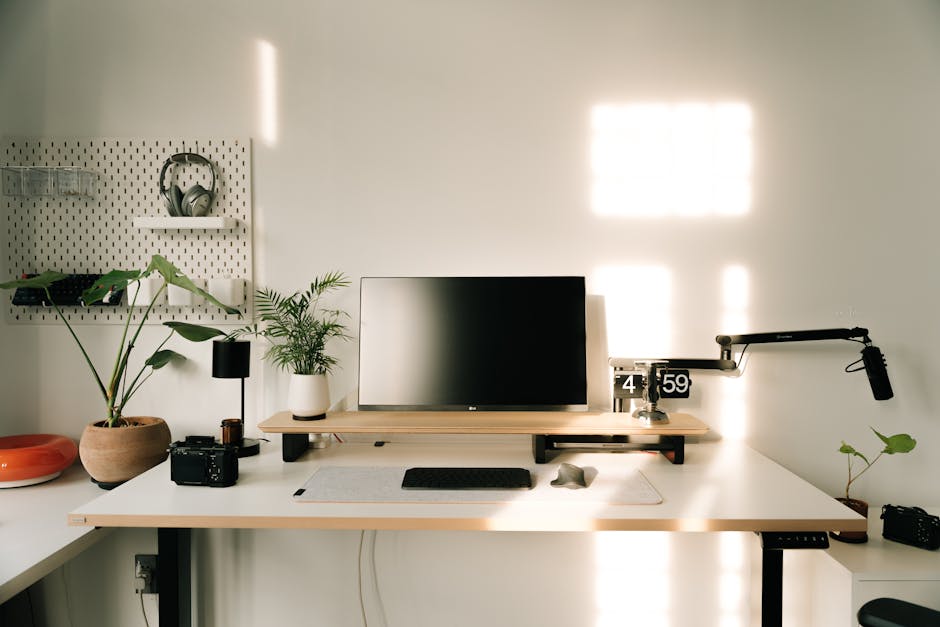
Decluttering is not a one-time event; it is a maintenance habit. You can spend twelve hours cleaning your office on a Saturday, but if you don’t change your daily behavior, it will be back to chaos by next Friday. I’ve found that the ‘End-of-Day Reset’ is the single most important habit for maintaining a productive space. It takes exactly five minutes. At the end of your work day, clear the coffee mugs, file the two or three papers you generated, and put your pens back in their holder. This signals to your brain that work is over and ensures that when you walk in the next morning, you aren’t starting your day by cleaning up yesterday’s mess.
Managing the ‘In-Box’ Mentality
One trick I use is a physical ‘In-Box’ tray on the far corner of my desk. Everything that enters the room—mail, notes, gadgets—goes there first. It does not get to sit on the main workspace. Once a day, usually right after lunch when my energy dips, I process the In-Box. I either scan the paper, put the object in its home, or throw it away. This prevents ‘surface creep,’ where items slowly migrate from the edge of the desk to the center. I also perform a ‘Digital Sweep’ once a week, clearing my computer desktop of temporary files and screenshots. A cluttered computer desktop is just as draining as a cluttered physical one.
The Seasonal Deep Clean
Every quarter, I do a deeper dive. I check the expiration dates on any snacks or meds I keep in the desk, I wipe down the monitors with a microfiber cloth, and I check my cable connections. Over time, cables can loosen or get dusty. Keeping the hardware clean extends its life and makes the environment feel cared for. I also use this time to evaluate my furniture. Is the chair still ergonomic? Is the desk height right? Sometimes, the ‘clutter’ we feel is actually physical discomfort manifesting as a dislike for the space. By staying on top of these small tasks, the big ‘spring cleaning’ becomes unnecessary. You just live in a state of perpetual order.
Ultimately, the best way to declutter your home office is to be honest about what you actually need to do your job. For me, that meant getting rid of the second monitor I never used, the three extra staplers, and the stack of old industry magazines I was never going to read. I kept my favorite mechanical keyboard, a single high-quality notebook, and a clean lamp. The result? I actually enjoy being in my office now. I don’t feel that low-level hum of anxiety when I sit down to work. I just work. And that is worth every hour spent sorting through old cables.