Why Switch from Mailchimp to Flodesk?
Switching your email marketing platform from Mailchimp to Flodesk can be a game-changer, especially if you’re looking for simplicity and creative freedom. One of the biggest draws is pricing. Mailchimp uses a tiered pricing model, which means your monthly cost rises as your subscriber count grows or as you add features. Flodesk, on the other hand, offers a straightforward flat-rate plan with unlimited subscribers and emails — a refreshing change that makes budgeting easy and predictable.
But it’s not just about cost. Flodesk shines with its intuitive interface and stunning, ready-to-go email templates. These designs are not only beautiful but also easy to customize, so you don’t need to be a design pro to send professional-looking emails. Many marketers find Flodesk’s tools much more user-friendly compared to Mailchimp’s sometimes complicated dashboard.
Another big advantage is deliverability. Flodesk puts a strong focus on helping your emails reach inboxes, improving your chances of engagement. Plus, it encourages a creative email approach that helps you connect with your audience in a more personal and visually appealing way.
Real users often share stories of increased open rates and better engagement after they’ve migrated subscribers from Mailchimp to Flodesk. If you’ve felt limited or frustrated with Mailchimp, switching could refresh your email marketing and deliver better results — all without the hassle or complexity.
Preparing for the Migration
Before you start the actual email list transfer from Mailchimp to Flodesk, it’s crucial to prepare carefully. First, back up your Mailchimp data by exporting your audience to a CSV file. Take time to review your subscriber segments and tags—this will help you organize your list better in Flodesk.
Next, clean your list by removing bounced and unengaged emails. This step improves your future deliverability and keeps your list healthy. Flodesk values quality contacts, so a clean list is key.
Then, set up your Flodesk account. You can start with a free trial to explore its features before committing. Signing up is straightforward, and once inside, take a moment to plan your segments in Flodesk. Try to match Mailchimp’s structure or refine it to better suit your goals.
Step-by-Step Guide: Exporting Subscribers from Mailchimp
Ready to migrate subscribers from Mailchimp to Flodesk? Here’s how to get your email list out of Mailchimp without a hitch.
1. Log In and Head to Your Audience
- Sign in to your Mailchimp account.
- Go straight to the Audience tab, then select All Contacts. This is where you’ll see everyone on your list.
2. Pick Segments or Export Everything
- If you want to move your entire list, just stay on All Contacts.
- To export a specific segment or tag, use the filters to find the group you want. This is handy if you’re only moving active or engaged subscribers.
3. Export as CSV
- Click the Export Audience button (or Export Segment if you filtered).
- Mailchimp will package your list as a CSV file and send you an email notification when it’s ready.
- Download the ZIP file from your email or directly from Mailchimp’s Exports page. Inside, you’ll find the CSV file you need for Flodesk.
4. Tips for Large Lists or Multiple Segments
- Big lists: If your audience is huge, the export might take a few minutes. Be patient and check your email for the download link.
- Multiple segments: Export each segment separately if you want to keep your Flodesk segments tidy. Name your files clearly so you don’t mix them up.
5. Check Your Data
- Open the CSV to make sure all your fields (like email, first name, tags) are there. Clean data now means fewer headaches later.
Exporting your list is the first step in a smooth email migration process. With your Mailchimp export ready, you’re set for the next stage: importing into Flodesk.
Step-by-Step Guide: Importing Subscribers into Flodesk
Once you’ve exported your audience from Mailchimp, the next step is importing your email list into Flodesk. Start by logging into your Flodesk account and navigating to the Audience tab. Here, you’ll find the option to upload your CSV file exported from Mailchimp.
When uploading the file, Flodesk will prompt you to map fields like email addresses, first names, and any custom data you included in Mailchimp. This step is crucial to ensure your subscribers’ information transfers accurately. Take care to match each column properly—incorrect mapping can lead to errors or missing data.
Next, assign your subscribers to the right segments in Flodesk. You can replicate the existing Mailchimp segments or create new ones to organize your list better. Also, confirm the opt-in status for each subscriber—Flodesk requires that your contacts have given permission to receive emails to stay compliant and maintain good deliverability.
After uploading and mapping, review the import . Flodesk will report any errors or duplicates so you can address them immediately. If everything looks good, your audience is now ready in Flodesk to start sending campaigns. Properly importing your list sets the foundation for successful email marketing without losing valuable subscriber information.
For tips on handling large subscriber files or segment setups, check out our detailed email migration best practices to avoid any glitches during this process.
Post-Migration Essentials
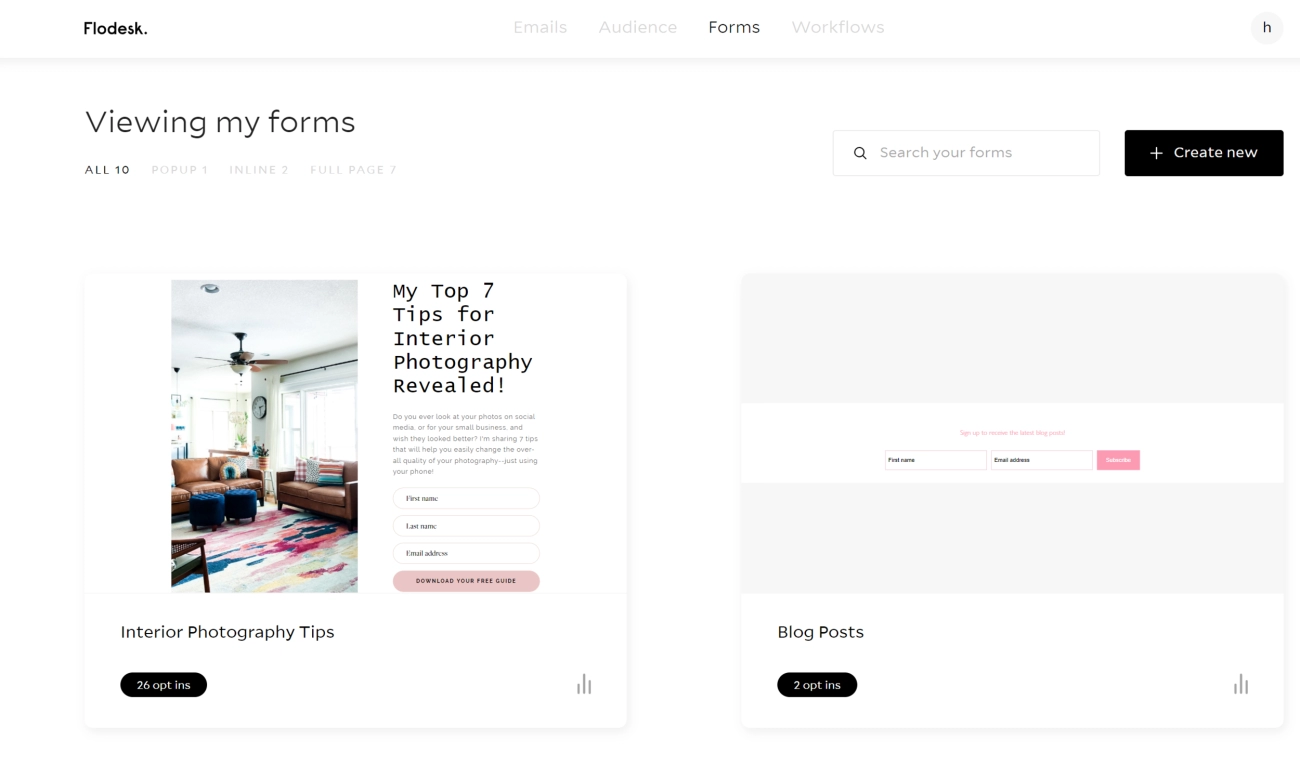
Once you’ve imported your email list into Flodesk, it’s time to set up the essentials that keep your email marketing running smoothly. Start by creating and embedding sign-up forms and opt-in pages on your website to attract new subscribers. This will help you grow your list consistently after the initial migration.
Next, recreate your key email workflows like welcome sequences or drip campaigns you had in Mailchimp. Flodesk’s intuitive interface makes building these automations easy and visually appealing, helping you engage subscribers from the get-go.
Don’t forget to update your sending domain and set up email authentication (SPF, DKIM) in Flodesk. This step improves your email deliverability, ensuring your messages land in inboxes instead of spam folders.
Finally, send a re-engagement or “We’re new!” email to your imported subscribers. This reintroduces your brand with Flodesk and encourages active engagement early on, helping to warm up your list and maintain strong deliverability.
Setting up these post-migration basics properly is key to a seamless switch from Mailchimp and keeping your email strategy on track. For ongoing success, consider exploring resources on how to brand your WordPress site to align your web presence with your email campaigns.
Common Mistakes to Avoid and Troubleshooting
When moving your email list from Mailchimp to Flodesk, a few common pitfalls can trip you up if you’re not careful.
- CSV Formatting Issues: One of the biggest headaches is uploading a CSV with incorrect formatting. Make sure your exported Mailchimp CSV file matches Flodesk’s import requirements. Double-check for missing headers or extra columns. Unmapped fields during the Flodesk subscriber import stage can cause data loss or errors, so map every field carefully—especially the email address and any custom data.
- Legal Considerations: Always ensure your subscribers are properly opted-in and meet GDPR or other regional compliance standards. Transferring a list without confirmed consent can lead to spam complaints or account suspension. This is crucial for maintaining good deliverability and a positive sender reputation.
- Deliverability Tips: After importing, don’t blast your entire list right away. Warm up your new Flodesk account by sending emails to your most engaged subscribers first. This gradual approach helps avoid being flagged as spam and improves overall inbox placement.
- Handling Duplicates or Data Loss: If you notice duplicate contacts or missing data post-import, review your CSV files and segments closely. Sometimes exporting from multiple Mailchimp segments can overlap contacts—clean your list before migration to minimize this. Flodesk offers tools to merge or remove duplicates, but the cleaner your list going in, the smoother the transition.
Following these tips helps avoid common migration headaches and sets you up for success when switching email marketing platforms.
For more detailed strategies on list cleanup and segmentation, check out this guide on effective membership growth, which shares useful tips applicable to email list management.
Final Thoughts and Next Steps
Moving your email list from Mailchimp to Flodesk is simpler than it might seem. With clear steps for exporting your Mailchimp data and a smooth Flodesk subscriber import process, you can switch email marketing platforms without losing momentum. Once your list is in Flodesk, I recommend launching a test campaign right away to get comfortable with its intuitive tools and beautiful templates. This hands-on experience helps you see the benefits firsthand, like improved engagement and easier creative control.
Remember, the advantages don’t stop at migration—you’ll also enjoy Flodesk’s flat-rate pricing and stronger focus on deliverability and design. To keep improving, explore Flodesk’s tutorials and support resources, so you can make the most of segments setup, workflows, and subscriber re-engagement strategies. For a deeper dive into streamlining your digital workflows, check out how tools designed to simplify editorial processes can help you boost efficiency across the board.
Taking these steps positions you well for ongoing email marketing success with Flodesk. With the right setup, your audience will stay engaged, and your campaigns will stand out.
Leave a Reply